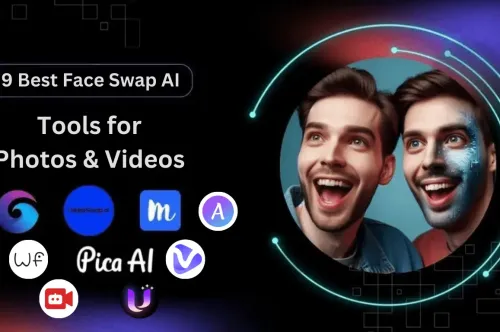
7 Free AI Tools to Create Professional Face Swap Videos Online in 2026!

Updated: Refreshed for 2026 with clearer recommendations and latest relevance.
In the age of AI-powered creativity, face swap videos have become wildly popular — not only for fun, but also for content creation, marketing, memes, and even film editing. If you’re searching for AI face swap video free tools that are both powerful and beginner-friendly, you’ve landed in the right place.
Whether you’re an influencer, marketer, content creator, or just a curious user, this list will walk you through 7 of the best free AI face swap video tools online in 2025, detailing their features, use cases, and why they stand out in this rapidly evolving space.
1. AI Face Swapper

Features:
-
High-resolution face swap videos (up to 1080p).
-
Upload custom images or select from presets.
-
Supports both static and animated video content.
-
No watermarks in free version (limited exports).
Use Cases:
-
Meme generation
-
Short-form video content for TikTok/Reels
-
Deepfake-style clips with ethical use
Why It’s Great:
AI Face Swapper combines speed and quality — its neural networks produce highly realistic transitions while keeping facial movements intact. A great choice for creators who want fast, believable results without paying upfront.
2. DeepfaceSwap

Features:
-
Powered by deep learning models trained on thousands of face datasets.
-
Offers both manual and auto face swap options.
-
Includes facial motion tracking for better realism.
Use Cases:
-
YouTube video edits
-
Professional parody clips
-
Film previews and role-swapping demos
Why It’s Great:
This tool caters to more advanced users who want control over swap angles, skin tone blending, and lighting correction. The learning curve is worth it for premium results — and it's still free to try.
3. FaceSwap

Features:
-
Fully open-source software for desktop use.
-
Supports training your own models.
-
Video editor integration (FFmpeg, etc.).
Use Cases:
-
Custom deepfake training
-
Face-swapping across long video timelines
-
Educational or academic deep learning projects
Why It’s Great:
FaceSwap is perfect for developers, researchers, or power users looking to tweak and train their own models. It’s a community-driven tool with documentation, forums, and real-world support.
4. ArtGuru Face Swap

Features:
-
Stylized and artistic face swaps.
-
Supports portrait images and short videos.
-
One-click face mapping from selfies.
Use Cases:
-
Avatar creation
-
Art-style filters with swapped faces
-
Profile pictures with a twist
Why It’s Great:
ArtGuru’s unique artistic filters give it an edge — think Picasso meets Pixar. If you want your face swaps to look fun, cartoonish, or like fine art, this tool’s creativity engine delivers.
5. ChangeFace

6. Pica AI

Features:
-
Free to use with a mobile-optimized interface.
-
Live preview and instant export.
-
No watermark on short videos.
Use Cases:
-
Mobile video editing
-
Quick social media swaps
-
Instagram Stories with AI faces
Why It’s Great:
Pica AI is ultra-fast and designed for mobile users. No downloads, no clutter — just upload, click, and go. It’s ideal for fast-paced social media environments where quality and speed both matter.
7. FaceMagic

Features:
-
Face swaps in music videos, memes, dance clips.
-
AI avatars and animated GIFs included.
-
Face gallery for reusing faces across videos.
Use Cases:
-
Fun face swaps with friends
-
AI avatar creation
-
Animated sticker creation
Why It’s Great:
FaceMagic focuses on expression-matching and seamless integration into funny, short videos. If you love reels, dance videos, or memes — this is your go-to platform.
Why Use Free AI Face Swap Video Tools in 2025?
-
No downloads needed: Most are browser-based.
-
AI-powered: Natural, smooth facial motion tracking.
-
Great for content marketing: Go viral with engaging visuals.
-
Beginner-friendly: No editing experience required.
-
100% Free: Try without committing to premium plans.
By leveraging the right tool for your content type — whether it's memes, marketing, or short films — you can easily generate professional-quality face swap videos without spending a dime.
Frequently Asked Questions (FAQs)
1. Are these face swap tools safe to use?
Yes, many users use the tools mentioned in this blog. Always download from official websites to avoid security risks.
2. Do I need technical skills to use these tools?
No, most of these tools are for all users. They have a user-friendly interface and guides to get you started.
3. Are these tools free?
Yes, the tools here have free versions with great features. Some have premium options for extra features.
4. Can I use these for professional projects?
Yes! Some of these tools like DeepfaceSwap and FaceMagic have professional quality results.
5. Do these tools work on all devices?
Most tools work on desktops, laptops, and smartphones. Check the tool’s requirements for more info.
6. Are there limitations in the free versions?
Some tools may have watermarks or restricted features in the free version. Upgrade to a paid plan if needed.
Final Thoughts
Face swapping isn’t just a novelty — it’s a powerful creative tool when paired with AI. With these 7 free AI face swap video tools, you can experiment, create, and share stunning video content that engages your audience like never before.
SEO Refresh 2026: Key Improvements
- Better intent matching for search queries
- Stronger comparisons and decision help
- Improved on-page structure
Related Reads
FAQ
Why update old posts?
Freshness and improved structure can increase rankings and click-through rates.
How We Evaluated This Topic
- Reviewed practical workflow fit for real teams
- Compared quality, speed, governance, and cost signals
- Prioritized use-case alignment over hype features
Related Strategic Guides
- AI Agent as a Service Playbook
- Enterprise AIaaS Execution Guide
- GaaS Governance Framework
- AI Tools for Agentic AI
Execution CTA
Next step: select one high-impact workflow, run a 14-day pilot, and compare baseline vs post-automation quality, speed, and cost.
Comprehensive Practical Guide for 7 Free AI Tools to Create Professional Face Swap Videos Online in 2026!
This expanded section strengthens the article for search intent, user clarity, and implementation depth. Instead of only listing features, it explains how to evaluate outcomes, avoid weak tool choices, and create a repeatable execution process. Readers usually want to understand not just what a tool claims, but how it performs under real workflow conditions such as deadlines, quality standards, budget limits, and team adoption challenges.
When evaluating 7 Free AI Tools to Create Professional Face Swap Videos Online in 2026!, start by defining one measurable goal before trying multiple tools at once. Typical goals include reducing turnaround time, improving output consistency, or increasing qualified traffic from organic search. Once a single goal is set, compare tools using one fixed benchmark task so quality differences are visible. This avoids random testing and helps you identify whether a tool can support production-level use rather than one-off experiments.
Evaluation Framework and Decision Criteria
A reliable evaluation framework should include six dimensions: quality, speed, control, integration, governance, and total cost. Quality means the final output is accurate, usable, and aligned with your publishing standards. Speed means the tool improves cycle time without creating additional revision overhead. Control means prompts, settings, and workflows are configurable enough for your team. Integration means the tool can connect with your existing stack such as CMS, analytics, or collaboration systems. Governance includes privacy, permissions, and content safety checks. Total cost includes subscription fees, hidden onboarding time, and quality assurance effort.
For stronger decisions, score each dimension on a simple 1-to-5 scale. Then apply weighted importance based on your business model. For example, an SEO-first content site may prioritize quality and consistency, while an agency environment may prioritize collaboration and speed. Weighted scoring prevents emotionally biased choices and gives a data-backed reason for selecting one platform over another. This method also helps when presenting recommendations to stakeholders who need clear trade-off visibility.
Implementation Roadmap (30-60-90 Day Model)
In the first 30 days, focus on baseline measurement and pilot setup. Document current workflow time, current quality pass rate, and current output volume. Then run a focused pilot with one use case only. In days 31 to 60, expand to a second use case and add standard operating procedures, QA checklists, and approval gates. In days 61 to 90, optimize performance by refining prompts, building reusable templates, and introducing dashboard tracking for outcome metrics. This phased approach minimizes risk while increasing confidence.
During rollout, define ownership clearly. One person should own prompt standards, one should own publishing quality, and one should own KPI reporting. Even small teams benefit from role clarity because it prevents bottlenecks and random process changes. If the team is solo, create a weekly review block to assess output quality and update templates. Consistent review cycles are what turn an AI-assisted process into a dependable production system.
SEO and Content Performance Recommendations
For SEO improvement, align headings to clear intent clusters: definition, comparison, implementation, pitfalls, and FAQ. Add examples with context-rich language that mirrors user queries. Include practical terms readers actually search, not only vendor slogans. Keep paragraphs concise, improve transition logic, and add internal links to related strategic guides so authority can flow between relevant pages. This strengthens topical depth and helps crawlers understand the relationship between adjacent content themes.
On-page optimization should include precise metadata, strong intro context, and semantic breadth around adjacent entities. For example, content discussing tools should also address adoption constraints, integration realities, and decision frameworks. This expands ranking opportunities across mid-tail and long-tail queries. It also increases dwell time because users find complete answers in one session rather than leaving for supplemental explanations.
Common Mistakes and How to Avoid Them
One common mistake is evaluating tools only from demo outputs. Demo conditions are optimized and often do not represent live production complexity. Another mistake is scaling too early without quality governance, which leads to inconsistent tone, factual drift, and rework. A third mistake is ignoring change management; teams need simple training and documentation to adopt new workflows confidently. Prevent these issues by running controlled pilots, maintaining QA rules, and reviewing weekly outcomes before wider rollout.
Another frequent error is tracking vanity metrics instead of business outcomes. High output volume alone is not a success metric if conversion quality declines. Focus on practical KPIs such as time saved per asset, acceptance rate after first draft, organic traffic growth for target pages, and revenue-linked conversion lift where measurable. Decision quality improves significantly when performance is tied to outcomes that matter commercially.
Action Checklist
- Define one primary objective and one benchmark task.
- Score options using quality, speed, control, integration, governance, and cost.
- Launch with a 30-day pilot before broader deployment.
- Implement QA checklists and approval gates.
- Track KPI impact weekly and refine templates continuously.
- Strengthen internal linking and semantic coverage for SEO durability.